SSH Brute-Force Detection and Automated Response
A controlled SOC-style lab connecting attack simulation, real-time log analysis, automated detection, and firewall enforcement.
The challenge
What needed to be solved
Understand how an SSH brute-force attack appears from both the attacker and defender perspectives, then build a defensive control that responds without manual intervention.
The approach
How I worked through it
I exposed SSH on an Ubuntu target, generated controlled authentication attempts from Kali Linux, monitored the evidence in real time, and configured Fail2Ban to translate repeated failures into an iptables rule.
The result
What the work demonstrated
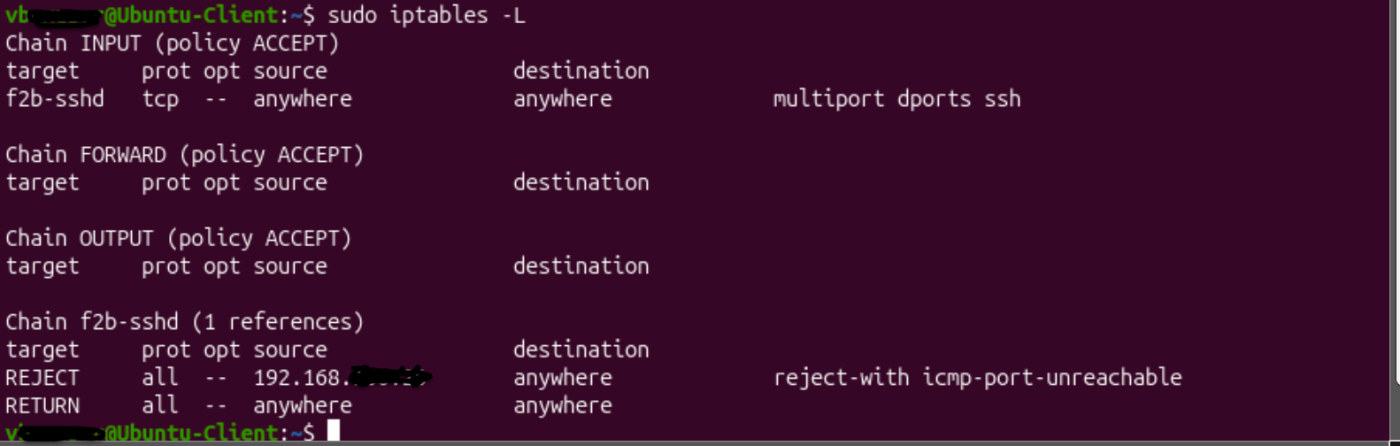
The lab detected the attack pattern, banned the source after the configured threshold, and confirmed that the block was enforced at the firewall layer.
Process
From problem to validation
Prepare the target
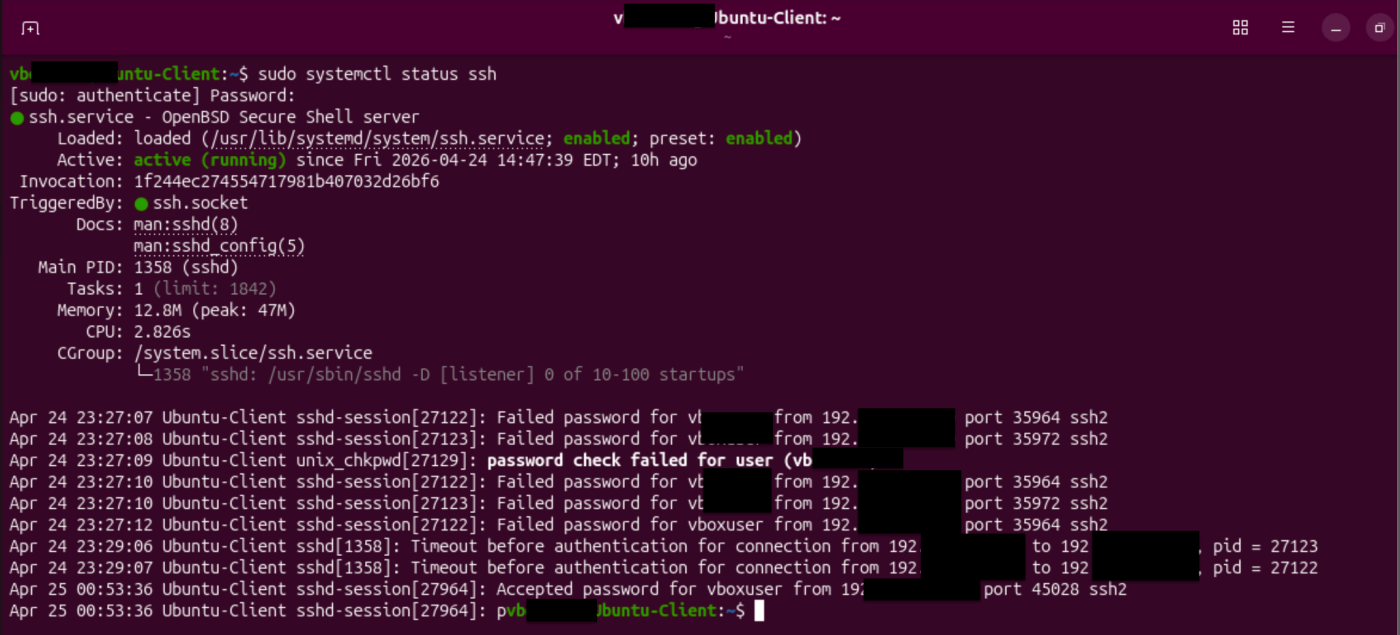
Installed and validated OpenSSH on Ubuntu Server and confirmed that port 22 was listening before testing began.
Simulate the attack
Used Hydra from Kali Linux to generate repeated SSH authentication attempts in a safe, isolated environment.
Investigate the evidence
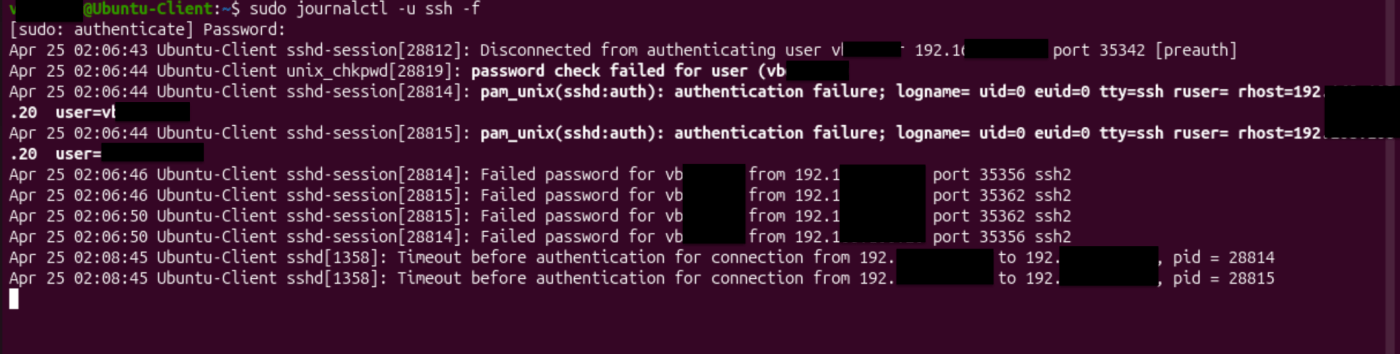
Followed the SSH service with journalctl and identified the repeated failed-login pattern produced by the attack.
Automate the response
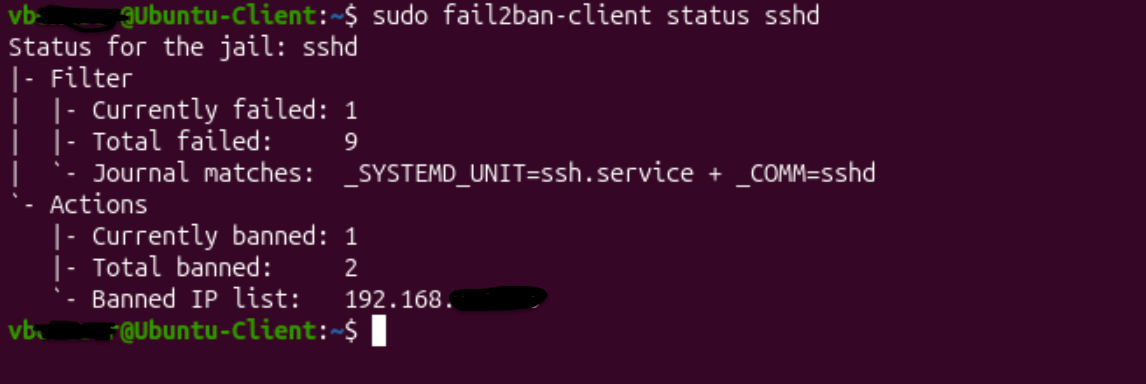
Configured the sshd jail in Fail2Ban with a three-attempt threshold, a 60-second detection window, and a temporary ban.
Validate enforcement
Reviewed the active jail and iptables rules to verify that the suspicious source was detected and blocked.
Evidence
Implementation and validation

Skills demonstrated